
Running an Indiana Statewide Case Search
Indiana's public case lookup is called MyCase, the Indiana Courts Case Search. It is free. The results pull public information from participating Odyssey courts plus some converted data. So most, not all, trial courts appear. Courts serving the same county can differ in coverage. Confirm the court identifier on any result. What MyCase shows is a public view of the clerk-maintained Chronological Case Summary (CCS) for a trial court. That is not a certified record. Pick the search route that fits what you already know. Then check the result against the court and case details.
- Choose Case to enter one known case number, citation number, or cross-reference number.
- Choose Party to search a person's last name or a business name, adding optional identifying details only when known.
- Choose Attorney to search by attorney name or Indiana bar number.
- Open the matching case and review its CCS events in date order. Follow any document links available for that case and user type.
- If the result is absent or a full file is needed, confirm the court's participation and contact the clerk or local court holding the case.
| Search route | Starting information | What it helps find |
|---|---|---|
| Case | Case number, citation, or cross-reference number | A particular court file or citation-linked case. |
| Party | Person's last name or business name | Cases tied to a party name, with optional refiners. |
| Attorney | Attorney name or bar number | Cases associated with a lawyer's appearance. |
| Court filters | Court identifier, case category, status, or filing date | A narrower set of records within the selected search mode. |
Open the official Indiana MyCase search to begin a lookup. Access is free and normally anonymous.
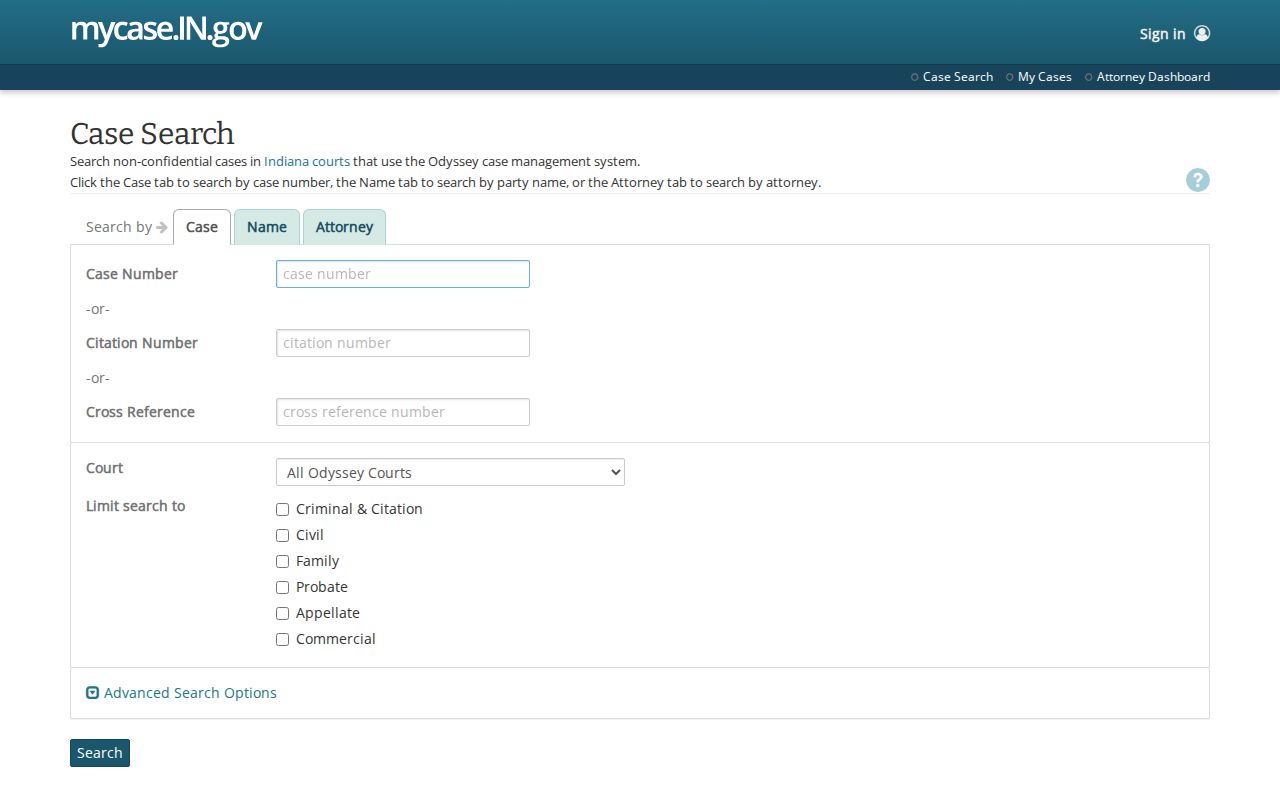
A case can show up in the index without a public image for every filing. Document access turns on the case type, the access rules, and your role as a user. The online result is not a full packet of court papers.
Indiana MyCase Search Modes
MyCase offers three routes into the same public case index. Case mode takes one identifier at a time. That may be a case number, citation number, or cross-reference number. Citation formats vary. Older or agency references may need to be typed exactly as they appear on the source document. Party mode searches a last name or a business name. Business matching is usually exact unless you add a trailing wildcard. A first or middle name, or a date of birth, can narrow a person search. Attorney mode accepts a name or an attorney number.
For an Indiana filing, use Case mode when a number is in hand. Party mode finds a file by name. Attorney mode follows a lawyer's cases. The Roll of Attorneys can help identify an Indiana bar number. Search fields create nothing. MyCase only displays information held by participating courts and papers permitted for public viewing. Note: Indiana MyCase attorney search accepts a name or bar number. The Roll of Attorneys lists an Indiana lawyer's public bar entry.
Indiana MyCase Search Limits
Search settings explain many results that are too broad or strangely empty. A trailing asterisk works as a starts-with wildcard. It is not a contains-anywhere search. The sounds-like option helps with uncertain party or attorney spelling. It cannot be paired with a wildcard. A broad name query can hit the 1,000-result cap. MyCase shows 20 results per page by default. When you have reliable details, narrow by court, case category, open or closed status, or an initial filing-date range.
MyCase offers court identifiers rather than a separate County field. The choices can include county courts, participating City or Town courts, and appellate courts. A county's participation does not mean every local court in it is online. Before treating a missing result as a dead end, check the Indiana Odyssey participation roster. It lists the specific court identifier and its start date.
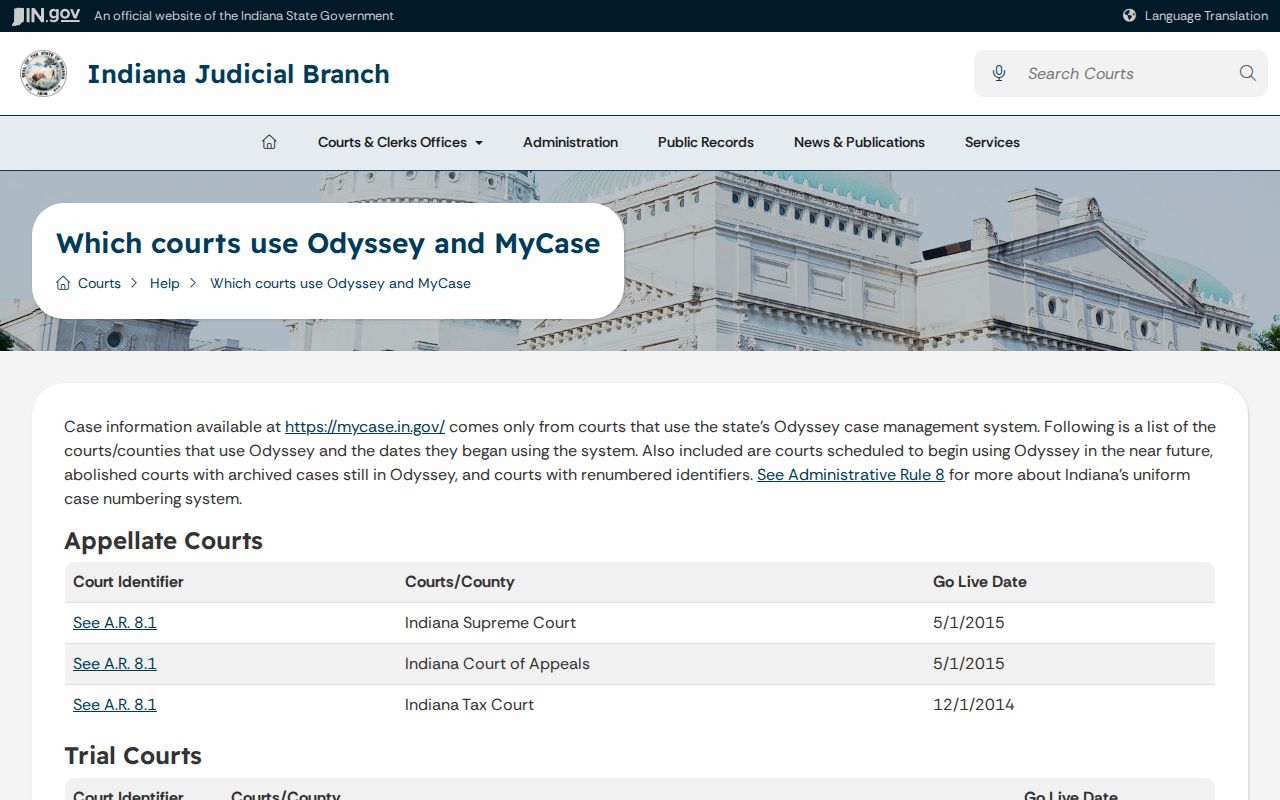
An empty result is not always the end. Confirm the exact court. Drop unneeded date or birth-date filters and try a prior or current case number. The file may sit in an Indiana local court outside Odyssey. Its older material may never have been converted. Repeated queries can also trigger CAPTCHA, which the Indiana judiciary uses to deter data-mining.
Indiana Case Number Searches
A known case number is often the cleanest Indiana search route. Indiana Rule 8 packs county, court, filing year and month, case type, and sequence into one string. Take 55C01-1101-CF-000123. The first group identifies an Indiana county and court. 1101 means January 2011. CF is an Indiana case-type code. 000123 is the sequence. MyCase accepts numbers without hyphens or leading zeroes.
Transferred Indiana cases can carry both a prior and a current number. Try either version. Citation numbers have no single statewide format. Cross-reference values may come from older systems or another agency. If the number fails, verify the Indiana court code. Ask the clerk to confirm the current one. Note: a transferred Indiana case may have old and current numbers. Citation and cross-reference formats vary by issuing agency.
Indiana Case Number Codes
Case-type codes under Indiana Rule 8 classify the proceeding itself, not an event or an outcome. Felony levels run F1 through F6. Other common types are CM misdemeanor, IF infraction, OV ordinance violation, PL civil plenary, CT civil tort, CC civil collection, EV eviction, and SC small claims. Older Indiana records may carry legacy types instead.
- Court identifier
- The opening segment ties the number to a county and court designation.
- Filing month
- Four digits show the year and month in YYMM order.
- Case type
- The letters identify the Rule 8 category, not each event in the CCS.
- Sequence
- The final digits distinguish the filing within the number series.
For the number pattern and court codes, Indiana Administrative Rule 8 is the authoritative reference.
What an Indiana Case Search Returns
Pull up a result in Indiana MyCase. You get the case identity plus the public CCS view for that Indiana court. The CCS works as a timeline. Each line carries a date and a brief description of a filing, order, ruling, or judgment. You can trace the case from start to finish. Check the court, the case style, and the case number before you count on any result. One caution: this online case view is great for finding the matter and following its events. Yet it may not match the full set of papers the clerk keeps on file.
| Indiana case number | The Rule 8 identifier for the court, filing month, case type, and sequence. |
|---|---|
| Case style and parties | The caption and parties associated with the case. |
| Indiana court | The court identifier responsible for the case record. |
| Filing date | The initial filing date, also available as a search filter. |
| Status | Filters include All, Open, and Closed; read the latest order to confirm an outcome. |
| CCS events | Chronological entries and document links allowed for public online viewing. |
Sorting options help you work the results. Indiana searches can be sorted by case number, file date, case style, or status date. That makes a long list easier to scan. Know what a docket line is, though. It may describe a filing or a ruling without attaching a scan of that paper. And when money is involved, treat the online total with care. Financial totals can lag the real balance. So the Indiana clerk remains the source for an official amount due.
The Indiana CCS and the Case File
The CCS has a formal basis. Indiana Trial Rule 77(B) names the Chronological Case Summary as the official sequential record of the Indiana trial court. It also spells out what belongs there: proceeding titles, the assigned case number, attorney or self-represented-party information, public fees and charges, event dates, and short descriptions of filings, orders, rulings, or judgments. Behind that docket sits the Indiana clerk's case file, holding the pleadings, motions, service returns, verdicts, and other materials. Two related clerk records, the Record of Judgments and Orders and the judgment docket, exist alongside it. Neither replaces the file itself.
MyCase sometimes attaches a PDF to an event. Not every CCS line gets an image, though. What appears online depends on the case type and on who is looking. A party, an attorney, and the general public see different sets under the document matrix. Watch for converted events too. These describe material imported from an earlier case system, not a new document filed on that date. When a public paper is missing online, ask the clerk to check the actual Indiana file. Also ask about any older local source.
Indiana Trial Rule 77 sets out the CCS and the related clerk records. For what appears online versus in person, the court's MyCase document matrix breaks availability down by case type and user.
Note: The Indiana CCS is the official sequential record. A docket event does not guarantee a downloadable image of the filing.
Indiana Statewide vs County Search
Statewide and county searches answer different needs. Indiana MyCase covers participating Odyssey courts, but the official record lives with the Indiana trial-court clerk, who can check material that never made it online. Some local courts run their own process. Some keep older files outside digitized coverage entirely. When you need a full CCS, an unlinked paper, a historic search, or a certified copy, the Indiana county directory points you to the responsible court or clerk.
| Question | MyCase statewide search | County or local court |
|---|---|---|
| Coverage | Public data from participating Indiana Odyssey courts, with some converted records. | The Indiana clerk or local court checks the record sources it holds. |
| CCS detail | Public online case summary and available CCS events. | Official Indiana trial CCS and case file for the responsible court. |
| Documents | Selected links limited by case type and audience. | Ask whether an unlinked public paper is in the local file. |
| Certified record | A search printout is not a certified copy. | Request certification from the record-holding clerk. |
Contact details are easy to find. The official Indiana courts and clerks directory lists local court and clerk contact paths. The clerk can check paper, microfilm, and converted records that the online index does not fully represent.
Indiana Appellate Case Search
An Indiana appeal opens a second case history. It does not erase or replace the trial-court CCS. Indiana MyCase includes appellate cases. The Indiana Appellate Clerk's Online Docket also offers its own search route by litigant, attorney, appellate number, or lower-court number. Filters narrow results by appellate court, county of origin, trial court, case type, filing date, or update date. Related-case fields can tie an appeal back to the original trial matter. Older Indiana links may be incomplete, though.
Use the appellate docket to follow filings, briefs, orders, and status as the appeal moves. Opinions live elsewhere. The separate Indiana Decisions search serves them up. An opinion search and a docket search answer different questions. For records and certified copies of appellate material, the Indiana Appellate Clerk is the office to call. The underlying trial papers stay with the Indiana county clerk. Hearing transcripts remain with the Indiana court reporter.
Open Indiana Appellate Case Search to reach the docket entries. The official Indiana Decisions guide explains the separate opinions and orders search. The Appellate Clerk handles records requests for appellate filings.
Note: An Indiana appeal keeps its own CCS separate from trial court history. The Appellate Clerk handles Indiana appellate copies, and transcripts remain with the reporter.
Restricted Cases in Indiana
Public access is the default in Indiana. Under Indiana Access Rule 4, records are generally open, subject to exclusions and court orders. A whole-case exclusion can hide a matter from Indiana MyCase entirely. A document restriction works differently. It leaves an entry that signals withheld material without showing its contents. These access rules explain why two Indiana searches can return different results.
Indiana Access Rule 5 lists the exclusions: juvenile CHINS, delinquency, adoption, and specified mental-health cases, plus protected personal identifiers. Expungements add another wrinkle. A granted Indiana expungement can also remove public access. It depends on the order and the statutory category. Protection-order cases never appear in MyCase. Indiana runs a separate Protection Order Search built to omit protected information. Ordinary Indiana family cases are not categorically sealed. Specific papers within them can still be restricted.
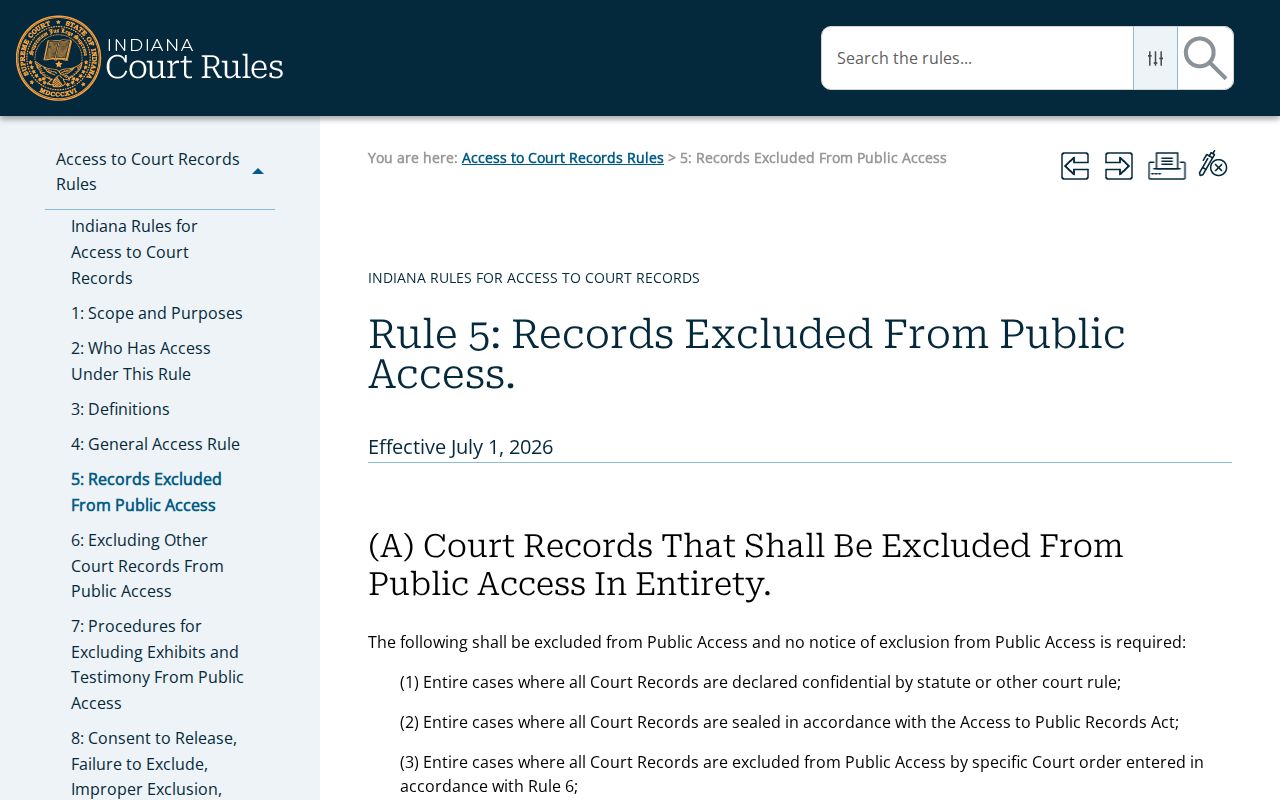
An Indiana case can look open yet still hold papers you cannot pull up. Access Rule 4 sets out which court records the public may see. A filing may never appear online. The court may simply keep the paper copy in the file. There is a formal route to change that. Anyone a record could harm can ask an Indiana judge to limit access under Access Rule 6. The court decides on a narrow basis. The flip side matters too. If a case or document already sits outside public access, no request on your own gets you in. The governing court process controls. The clerk can tell you which court takes questions about a specific record. Treat the online docket as a starting point, not a complete catalog of every filing.
MyCase screens obey these same limits. A confidential case stays confidential no matter which public index you search. The display cannot be read as proof that nothing else exists.